Photo Lock App - Hide Pictures
Battery Stats SaverPersonalization
4.64.63K Reviews
- Version
- 2.1.14
- Installs
- 100.00M
- Age Rating
- Everyone
Screenshots
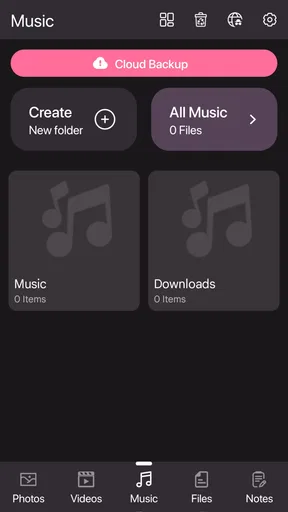
Our Review of Photo Lock App - Hide Pictures
 Analysis by Appyee
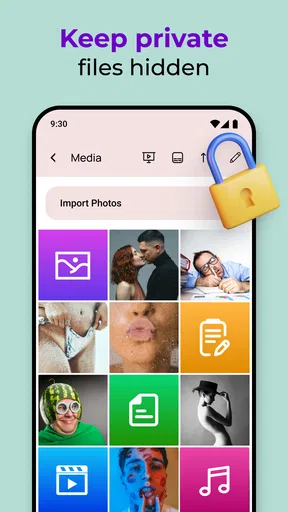
I tend to think about a photo locker most when someone asks to borrow my phone to look at one picture. The risk is rarely dramatic; it is the awkward swipe into something personal, a work document, or a surprise gift idea. Photo Lock App - Hide Pictures is aimed at that everyday boundary: keeping selected photos and videos apart from the gallery I might casually open in front of someone. It is a personalization app from Battery Stats Saver, and its appeal is practical rather than flashy.
That use case is worth separating from broader phone security. A private gallery can make it less likely that a photo appears during casual browsing, but I would not treat any single app as a guarantee against every way someone might access a device. I see this as a convenience and privacy layer for content I choose to move, not a replacement for a strong device passcode, careful sharing habits, or backups of files I cannot afford to lose.
What the free starting point is worth
The app is free to install, which makes it easy to try before deciding whether its approach suits you. It also offers in-app purchases, with listed item prices ranging from $0.99 to $99.99. That is a wide span, so I would check the purchase screen carefully and decide based on the exact option shown there rather than assuming every upgrade costs the same or that a paid plan is necessary.
Its audience is broad: the age rating is Everyone, and it has a 4.6 average from around 1.2 million ratings. That popularity can help a new user feel they are looking at an established app, but it does not tell me whether a particular feature is right for my needs. I would still test the basic workflow with non-sensitive pictures first, then judge whether the controls and any paid option offer enough value for my routine.
Using the private gallery day to day
The app’s central value is straightforward: it gives selected media a place separate from the photos I normally show people. That can be useful for personal documents saved as images, family pictures, or a collection I do not want appearing while someone scrolls through my camera roll. The key is being deliberate about what I move and checking afterward that I can still find it where I expect.
With over 100 million installs, Photo Lock App has reached a large audience, and its current version is 2.1.11. It requires Android 6.0 or later. The app first appeared on January 29, 2016, so it has been around for years; still, I would base my decision on how it behaves on my own device today rather than assuming age alone guarantees reliability.
A practical routine beats a rushed import
If I were using it for a sensitive set of pictures, I would start by moving a small test group, opening the locker again, and confirming that the images display as expected before adding everything else. I would also keep a separate backup of important originals. A locker helps with access and organization, but it should not become the only copy of a cherished photo or a document I may need later.
That small test is especially useful when cleaning up a crowded camera roll. Instead of importing hundreds of items at once, I would sort a few at a time—say, personal paperwork first, then family pictures—and check that each group is easy to locate. This makes mistakes easier to spot and prevents the private area from becoming another disorganized pile.
Where it fits among privacy options
Compared with simply relying on the regular gallery, a dedicated locker can make private items less exposed during casual browsing. A phone’s built-in locked or hidden album may be a better fit if you want fewer apps and a system-level option already suits your device. A general file manager can offer more control over folders, but it may take more effort to use comfortably for photos. I would choose the simplest option that reliably matches how I share my phone.
The trade-off is that a separate vault adds a step: I have to remember where I put a picture and open the locker when I want it. That is manageable for occasional access, but less appealing if I edit or share the same photos constantly. I would also avoid making a privacy decision based only on a password screen; careful device access and sensible handling of backups still matter.
One everyday example: before passing my phone across a table to show a travel photo, I can put personal images I do not want casually browsed into a separate space. For a family member who often borrows the phone, that separation may save the small embarrassment of an unexpected swipe. For a shared device with multiple people who need dependable, separately managed accounts, though, a photo locker may not solve the underlying access problem.
Who is likely to get the most from it?
I think it makes the most sense for someone who wants a simple place for selected private media and is willing to build a habit around moving and retrieving those files. It is less compelling for someone who rarely lends out a phone, already uses a satisfactory built-in private album, or needs extensive file-management controls. If you are deciding whether to pay, first spend time with the free access and identify a specific friction point an available purchase would solve.
Before making the locker part of my routine, I would ask three practical questions: Can I find my files again without guesswork? Do I have another copy of anything important? And does the app’s access method feel convenient enough that I will actually use it? Those checks are more useful than locking away a large collection immediately and hoping the workflow takes care of itself.
Battery Stats Saver’s app is free to start, while optional purchases have a broad listed price range. That means the sensible value test is personal: if the free version handles your basic privacy routine, there is no need to buy something just because an upgrade exists. If a paid option matters to you, review its exact price and terms in the app before confirming. I would skip a purchase when I cannot clearly name the benefit I expect to get.
For installation, the platform matters: the listed minimum OS is Android 6.0, and the app is also presented for iOS. The age rating is Everyone. Those details make it approachable for many users, but anyone setting it up for a child or on a shared phone should still think through who controls the device passcode and who is expected to manage the locked media.
My verdict on the trade-offs
There is a useful distinction between hiding a photo from casual view and protecting every copy of it. If an image remains in a synced service, a messaging thread, or a backup, moving one version into a locker may not remove those other copies. I would check where the original is stored before treating the job as complete, especially for sensitive paperwork. That extra step is easy to overlook when the app’s main task feels as simple as tapping to import.
I would also make retrieval part of the test, not just locking. Open a few items, confirm you know how to get them back or share them when needed, and make sure the workflow fits your habits. If you regularly need to edit a picture in another app, moving it in and out may be inconvenient; keeping it in your normal gallery and using the phone’s own access controls could be a smoother choice.
As a free starting point in the personalization category, Photo Lock App is worth considering for people who want a separate home for selected photos and videos. I would not recommend it as a universal answer to device security, nor would I pay for an upgrade without knowing exactly what it adds for my use. But for someone who occasionally hands over a phone and wants a more orderly boundary around private media, it can be a practical option—provided they keep backups and choose a workflow they can maintain.
Downloading and setting up the Photo Lock App - Hide Pictures is a breeze. Available on both Android and iOS, you just head over to your respective app store, hit download, and you’re off to the races. The interface is sleek and intuitive, which is a relief because who really wants to fiddle around with complicated settings when all you’re trying to do is keep your selfies under wraps?
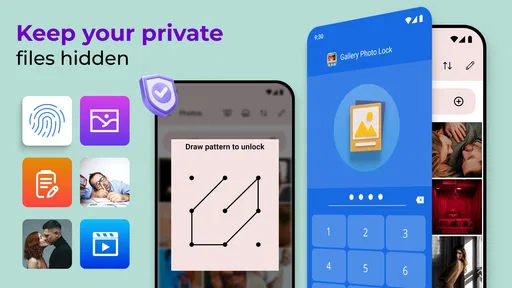
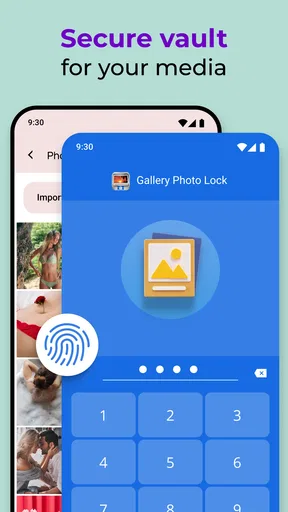
Once you’ve got it installed, you’ll need to set up a password. Make it something you’ll remember but not too obvious – no birthdays or pet names, folks! You can also opt for a fingerprint lock if your device supports it, which feels very Mission Impossible-esque, doesn’t it?
Features That Make It Shine
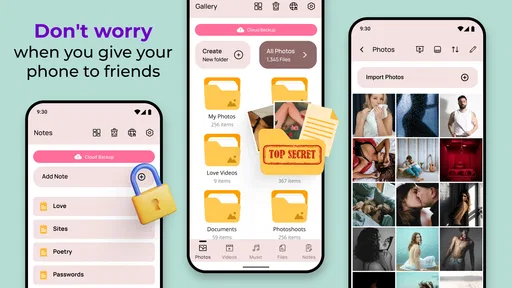
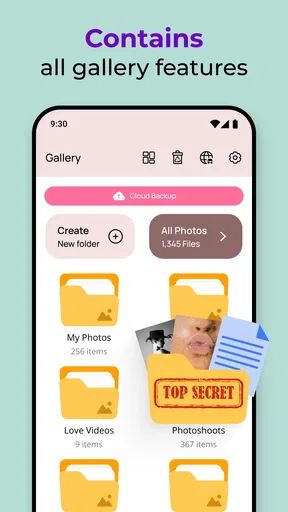
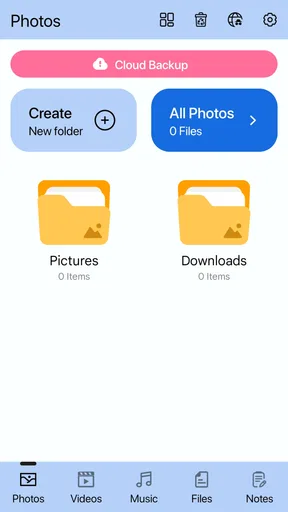
The app isn’t just about hiding photos. It’s packed with features that make managing your private gallery a pleasant experience. First off, you can organize your photos into albums, which is great for someone like me who likes to keep things orderly. Plus, it supports a wide range of file formats, so you’re not just limited to JPEGs.
What’s really cool is the decoy password feature. Basically, you can set up a second password that leads to a completely different set of photos. This is perfect for those moments when someone insists on seeing what you’re hiding, and you want to keep your real private stash safe.
And for those who are a bit paranoid (no judgment here), the app offers a break-in alert feature. If someone tries to access your vault and gets the password wrong, the app snaps a picture of the would-be intruder. It’s like having your own personal security guard!
Performance and Usability
In terms of performance, the app runs smoothly without any noticeable lag. Importing and exporting photos is straightforward, and I didn’t encounter any issues with crashing or freezing – a big plus in my book. The privacy policy is also pretty solid, ensuring your data remains yours and yours alone.
The only hiccup I noticed was with the ads in the free version. They’re not overly intrusive, but if you’re someone who gets annoyed by pop-ups, you might consider upgrading to the premium version. It’s a small price to pay for peace of mind and a seamless experience.
Final Thoughts
All in all, the Photo Lock App - Hide Pictures is a fantastic tool for anyone looking to keep their photos out of prying eyes. It’s user-friendly, packed with features, and overall just does what it promises: keeping your pictures safe and sound.
Whether you’re hiding surprise party photos or just want to keep your personal life private, this app has got you covered. So, go ahead, download it, and enjoy a little extra security in your digital world. After all, we all deserve a little privacy, don’t we?
Verdict
Strengths of Photo Lock App - Hide Pictures
- Simple and intuitive user interface.
- Supports multiple file formats for hiding.
- Offers a secure cloud backup option.
- Customizable themes and layouts.
- Efficient in managing large photo libraries.
Limitations of Photo Lock App - Hide Pictures
- Ads can be intrusive at times.
- Limited features in the free version.
- Password recovery can be cumbersome.
- Occasional bugs with video playback.
- No option for fingerprint authentication.
Other Releases by Battery Stats Saver
View All
All Deleted Messages Recovery
Communication4.2

USB Screen Share - Phone to TV
Personalization3.8

Speak and Translate Languages
Communication4.7

Compass app - Accurate Compass
Maps & Navigation4.2
Similar Picks in This Category
View All
Microsoft SwiftKey AI Keyboard
SwiftKey4.3

Wallpapers
Google LLC4.1

Zedge™ Wallpapers & Ringtones
Zedge4.7

Yandex Browser with Alice AI
Direct Cursus Computer Systems Trading LLC4.3

Ringtone Maker:create ringtone
Big Bang Inc.4.7

Fonts Keyboard
Fonts Keyboard3.9
Frequently Asked Questions
What is Photo Lock App and how does it work?
Photo Lock App is a security application designed to protect your private photos and videos. It works by creating a secure vault where your media files are encrypted and hidden from unauthorized access. Users can choose a PIN, pattern, or fingerprint to lock and unlock the vault, ensuring that only they have access to their private content.
Is Photo Lock App secure and reliable for storing personal photos?
Yes, Photo Lock App is considered secure due to its encryption technology, which ensures that your photos and videos are kept private. The app uses advanced security measures to protect your data from unauthorized access, making it a reliable choice for anyone looking to safeguard their personal media.
Can I recover my photos if I forget my password?
If you forget your password, Photo Lock App typically provides a recovery option, such as a security question or email recovery method, to regain access. It's crucial to set up these recovery options during the initial setup to ensure you can recover your photos if you forget your password.
Does Photo Lock App affect the quality of my photos?
No, Photo Lock App does not affect the quality of your photos. It merely encrypts and hides them within the app, keeping the original quality intact. You can view and export your photos without any loss in quality, ensuring that your memories remain as vivid as ever.
Is Photo Lock App free, or does it require a subscription?
Photo Lock App is available for free with basic features. However, it may offer in-app purchases or a premium version with additional features, such as cloud backup, ad-free experience, or more storage options. Users can choose the version that best suits their needs and budget.
